Revenue by Rate Override Reasons Report
The Revenue by Rate Override Reasons report allows users to track the revenue that is gained or lost from the rate overrides performed in a reservation. This report is displayed only when the feature setting, Rate Override Reasons, is enabled. The report is generated only for reservations with rate overrides performed by selecting a reason.
Perform the following steps to generate the report:
Navigate to Reports ➜ Dynamic Reports ➜ Revenue/Forecasting ➜ Revenue by Rate Override Reasons report
Refer to the following table and fill in the fields.
|
Field |
Description |
|---|---|
|
Report Name |
Revenue by Rate Override Reasons. |
|
Property |
Property associated with the reservations |
|
Start Date |
The date from which the report must be generated |
|
End Date |
The end date until when the report must be generated |
|
Reason |
Reason selected when performing the override |
|
Include Comp Nights |
|
|
Group by |
The group by option (date and reason) based on which the report should be generated |
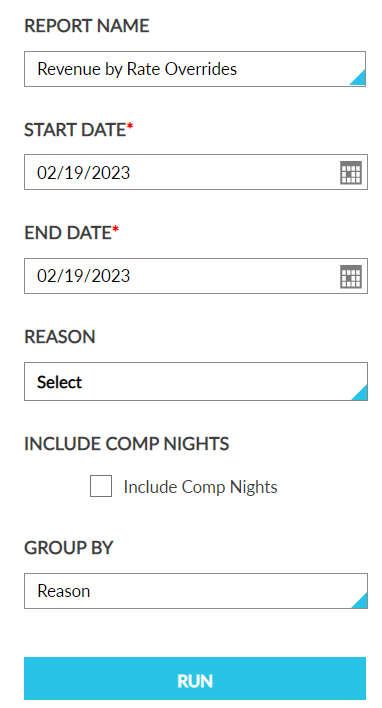
Click Run to generate the report.
Click Save to save the report under User Favorites section.
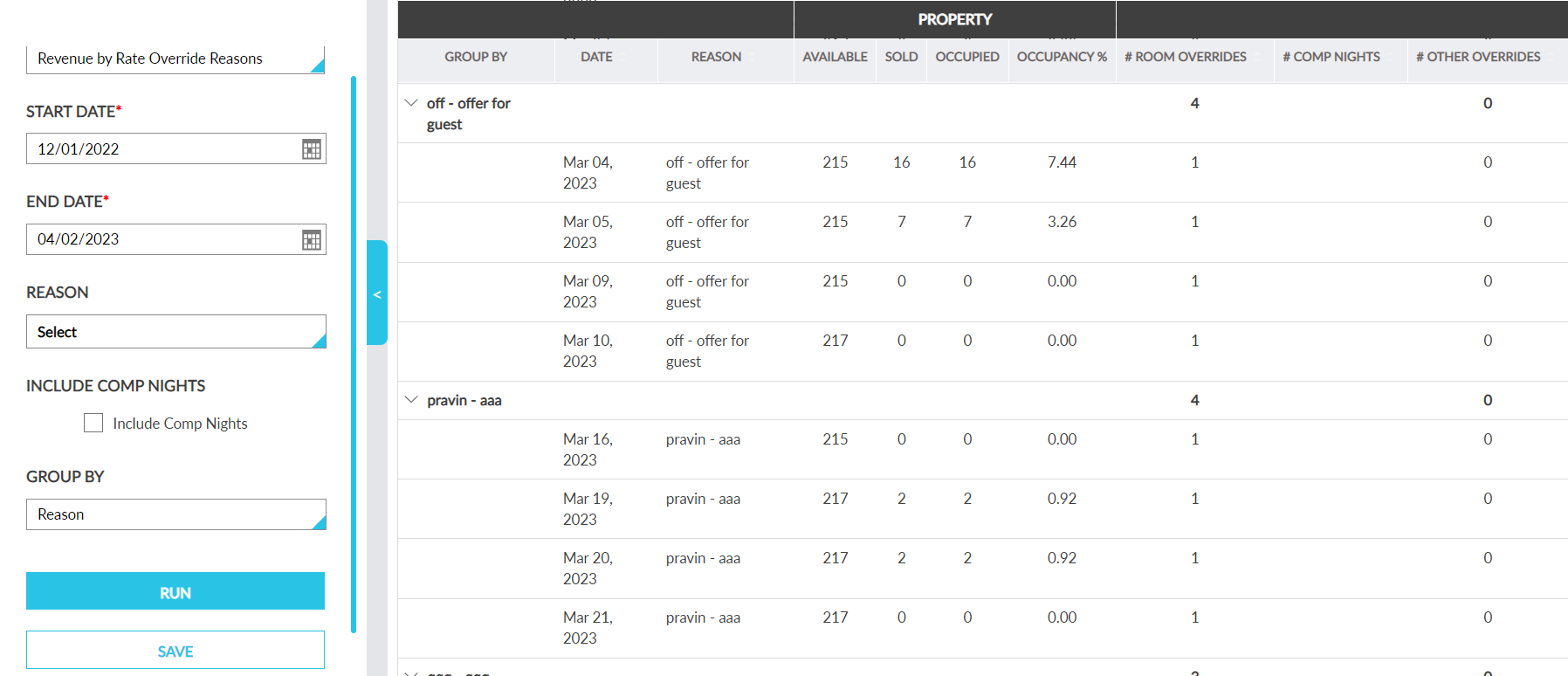
Sample Report
Report Fields
This report displays the following fields:
|
Field |
Description |
|---|---|
|
Date |
Displays all the dates between the start date and end date. For each date level, sum of Room Rate overrides, Comp Nights, Non-Room Rate Overrides, Revenue will be displayed. |
|
Reason |
The reason selected when the rate override was performed. |
|
Property |
Displays room details at the property level |
|
Available |
Displays the total number of rooms available at the property |
|
Sold |
Displays the sum of reservations with a non-zero room rate and reservations with a zero-dollar room rate with a comp type of Non-Comp |
|
Occupied |
Displays the sum of the values in the Sold and Comp Nights columns |
|
Occupancy % |
Displays the occupancy percentage calculated as follows: Rooms Occupied/Total Available Rooms |
|
Room Rate Overrides |
The total no of room rate overrides performed with that reason |
|
Comp Nights |
The total no of room rates overridden to 0 with that reason |
|
Other Overrides |
The total no of non-room rate overrides performed with that reason |
|
Room Revenue |
Displays the total Room revenue (New value – original value) for all the room rate adjusted with that reason |
|
Other Revenue |
Displays the total Non-Room revenue (New value – original value) for all the non-room rate adjusted with that reason |
|
Total Revenue |
Displays the sum of Room Revenue + Other Revenue |